UX Design
UX Design
Flight Tracking Widget
Flight Tracking Widget
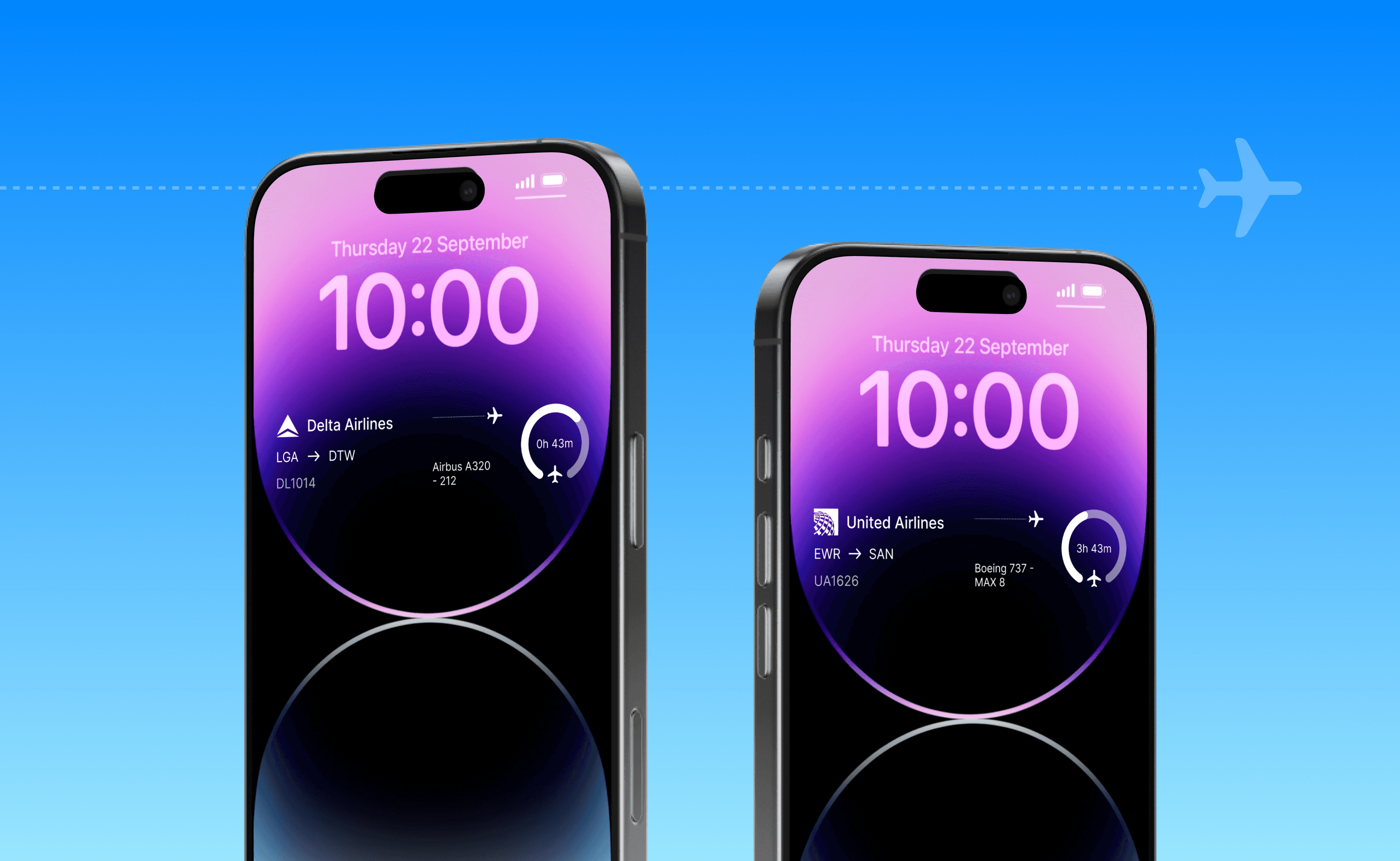
A lightweight mobile widget that shows real-time data on the nearest aircraft overhead, making flight tracking faster and more accessible without opening an app.
A lightweight mobile widget that shows real-time data on the nearest aircraft overhead, making flight tracking faster and more accessible without opening an app.

2 months
2026
Figma
Challenge
Flight tracking apps are powerful but often require multiple steps to access basic, time-sensitive information. Users need a faster, more effortless way to understand what aircraft are overhead without actively searching or opening an app.
Results
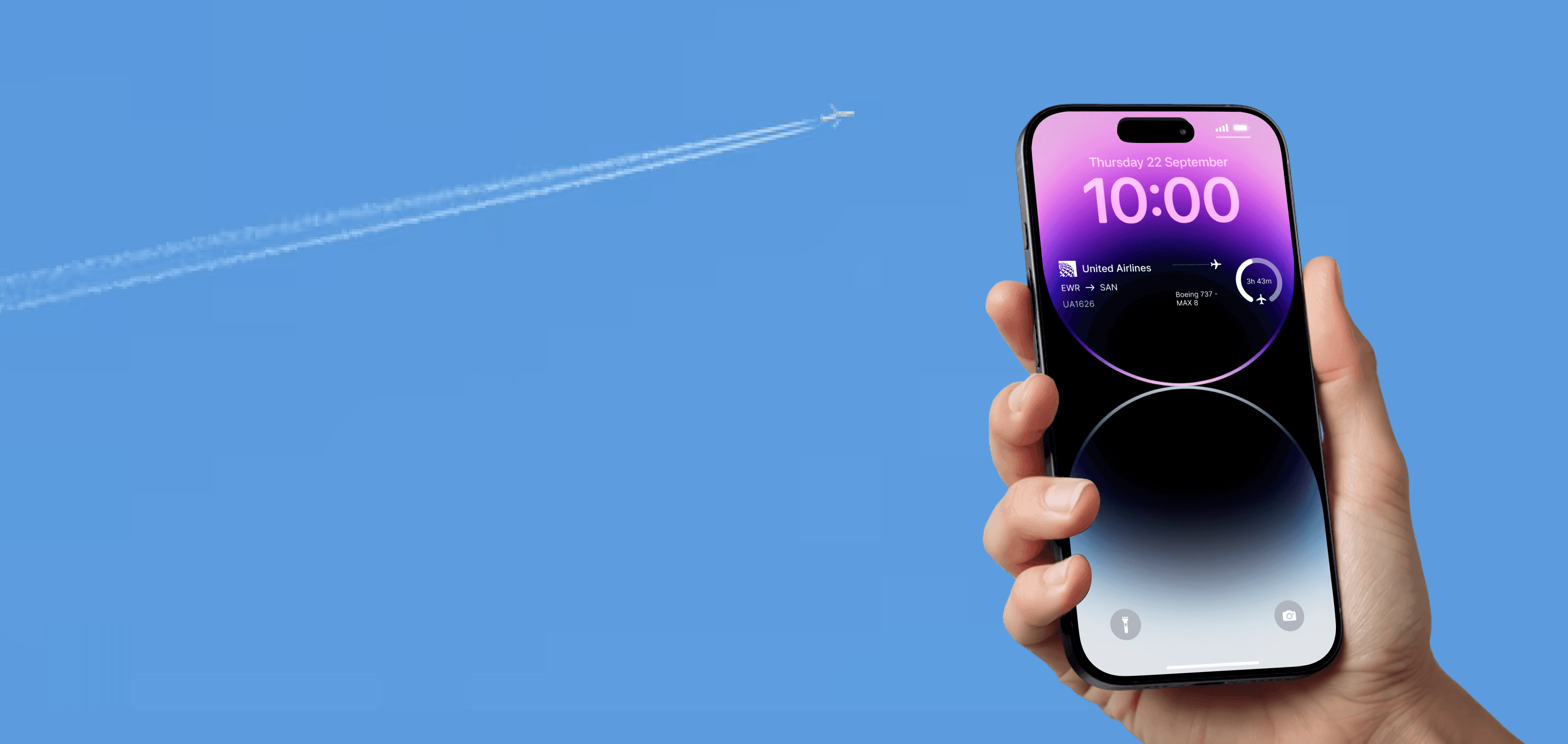
The flight tracking widget is a lightweight, real-time interface that automatically detects the closest aircraft overhead using location data and surfaces key flight details such as airline, altitude, and route directly on the lock screen.
By removing the need to open a full app, the widget turns flight tracking into a seamless, glanceable experience that fits naturally into everyday moments.
Challenge
Flight tracking apps are powerful but often require multiple steps to access basic, time-sensitive information. Users need a faster, more effortless way to understand what aircraft are overhead without actively searching or opening an app.
Results
The flight tracking widget is a lightweight, real-time interface that automatically detects the closest aircraft overhead using location data and surfaces key flight details such as airline, altitude, and route directly on the lock screen.
By removing the need to open a full app, the widget turns flight tracking into a seamless, glanceable experience that fits naturally into everyday moments.
Discovery
Discovery
Being a fan of tracking planes, I have experience with many different platforms such as Flightaware, Flightradar24, Flighty and more. What started as a way to track my flights, turned into a fun game of guessing the planes flying overhead. Although these platforms are great, one issue I ran into was getting them open in time before the planes flew past. This is where the idea for a widget came about.
Being a fan of tracking planes, I have experience with many different platforms such as Flightaware, Flightradar24, Flighty and more. What started as a way to track my flights, turned into a fun game of guessing the planes flying overhead. Although these platforms are great, one issue I ran into was getting them open in time before the planes flew past. This is where the idea for a widget came about.
Designing a Widget
Designing a Widget
Designing for iOS widgets introduces a unique set of constraints that significantly shape both the user experience and technical approach. Unlike full applications, widgets are built for glanceability and must deliver value within seconds. This means content has to be highly prioritized, simplified, and readable at a distance, often within very limited space and across multiple widget sizes. Additionally, iOS widgets are not fully interactive meaning users cannot freely navigate or input data so every design decision must focus on passive consumption and quick recognition rather than engagement.
Designing for iOS widgets introduces a unique set of constraints that significantly shape both the user experience and technical approach. Unlike full applications, widgets are built for glanceability and must deliver value within seconds. This means content has to be highly prioritized, simplified, and readable at a distance, often within very limited space and across multiple widget sizes. Additionally, iOS widgets are not fully interactive meaning users cannot freely navigate or input data so every design decision must focus on passive consumption and quick recognition rather than engagement.
iOS widgets must deliver highly prioritized, glanceable information within strict limits on interactivity, requiring designers to balance immediacy with system constraints.
iOS widgets must deliver highly prioritized, glanceable information within strict limits on interactivity, requiring designers to balance immediacy with system constraints.
iOS widgets must deliver highly prioritized, glanceable information within strict limits on interactivity, requiring designers to balance immediacy with system constraints.
Goals
Goals
Design a glanceable iOS widget that surfaces the most relevant, time-sensitive flight data within system constraints, enabling users to quickly identify aircraft overhead.
Create a seamless experience that fits naturally into the iOS widget ecosystem.
Design a glanceable iOS widget that surfaces the most relevant, time-sensitive flight data within system constraints, enabling users to quickly identify aircraft overhead.
Create a seamless experience that fits naturally into the iOS widget ecosystem.
Information Design
Information Design
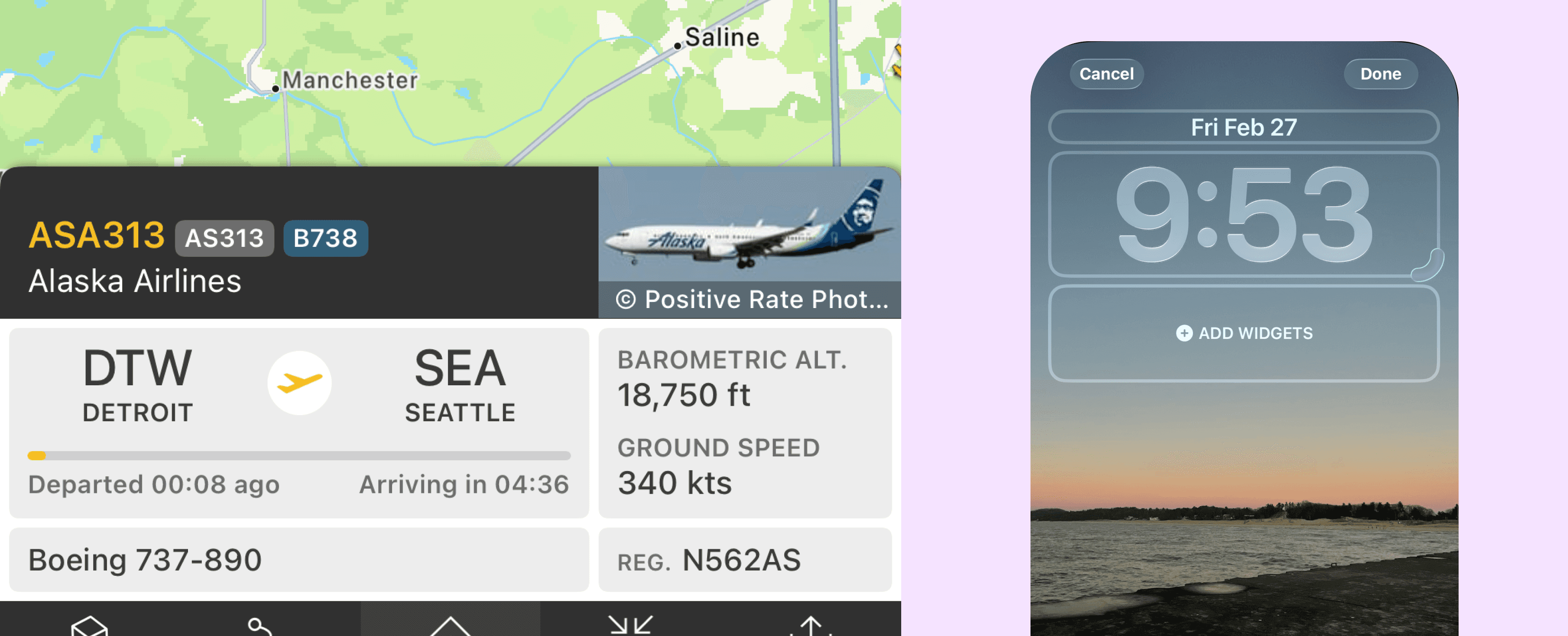
With access to extensive flight data from Flightradar24, the challenge was determining what information was most relevant to someone directly under a passing aircraft. Given the limited space of a mobile widget, I had to prioritize only the most meaningful, at-a-glance details while filtering out unnecessary complexity.
With access to extensive flight data from Flightradar24, the challenge was determining what information was most relevant to someone directly under a passing aircraft. Given the limited space of a mobile widget, I had to prioritize only the most meaningful, at-a-glance details while filtering out unnecessary complexity.
Planning & App Structure
Planning & App Structure
With the core concept defined, I mapped how the widget would function in context, focusing on a single passive, glanceable state that automatically updates in real time without user interaction. This helped establish a clear structure early on and ensured the experience stayed lightweight, focused, and appropriate for a lock screen environment.
With the core concept defined, I mapped how the widget would function in context, focusing on a single passive, glanceable state that automatically updates in real time without user interaction. This helped establish a clear structure early on and ensured the experience stayed lightweight, focused, and appropriate for a lock screen environment.
Shaping the Experience
Shaping the Experience
Then it was time to focus on how to translate dense flight data into a clear, digestible interface by prioritizing only the most relevant information at a glance. Through experimentation with hierarchy, spacing, and typography, I emphasized key details like airline, altitude, and route while keeping secondary data minimal to maintain clarity within a constrained widget space.
Then it was time to focus on how to translate dense flight data into a clear, digestible interface by prioritizing only the most relevant information at a glance. Through experimentation with hierarchy, spacing, and typography, I emphasized key details like airline, altitude, and route while keeping secondary data minimal to maintain clarity within a constrained widget space.
Wireframes
Wireframes
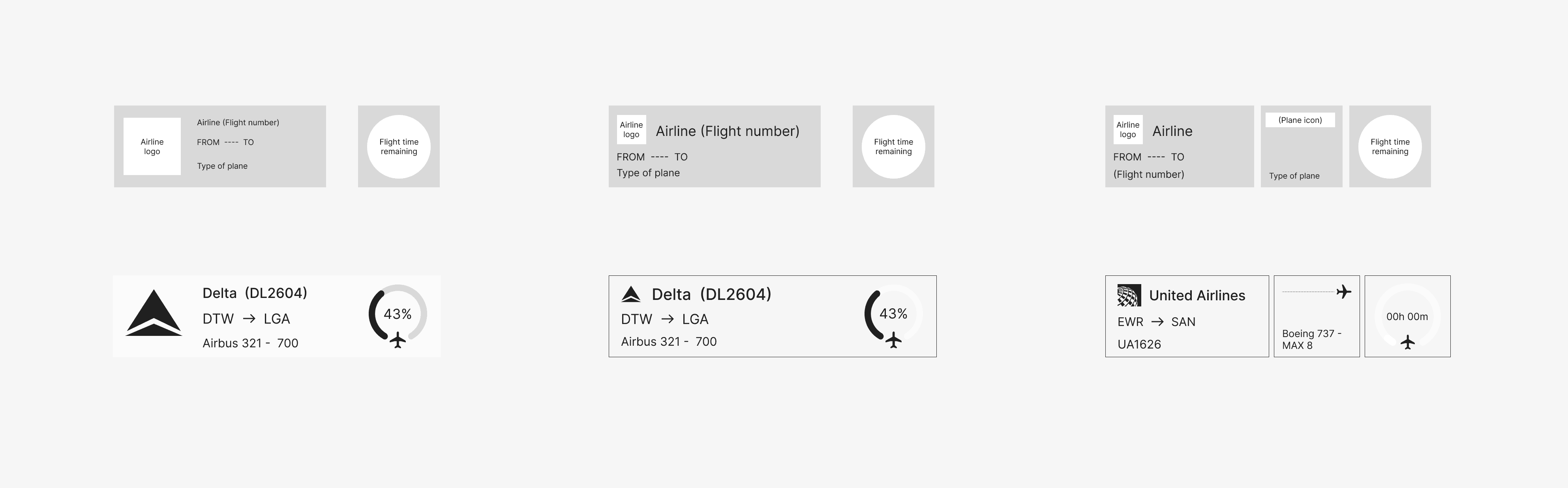
In early wireframes, I found that longer airline names and flight numbers often didn’t fit comfortably within the larger widget layout. In response, I shifted secondary details like aircraft type into a smaller, secondary widget. This helped prioritize the most essential information in the main view while giving users the option to access additional details only if they choose to enable the extra widget.
In early wireframes, I found that longer airline names and flight numbers often didn’t fit comfortably within the larger widget layout. In response, I shifted secondary details like aircraft type into a smaller, secondary widget. This helped prioritize the most essential information in the main view while giving users the option to access additional details only if they choose to enable the extra widget.
UI
UI
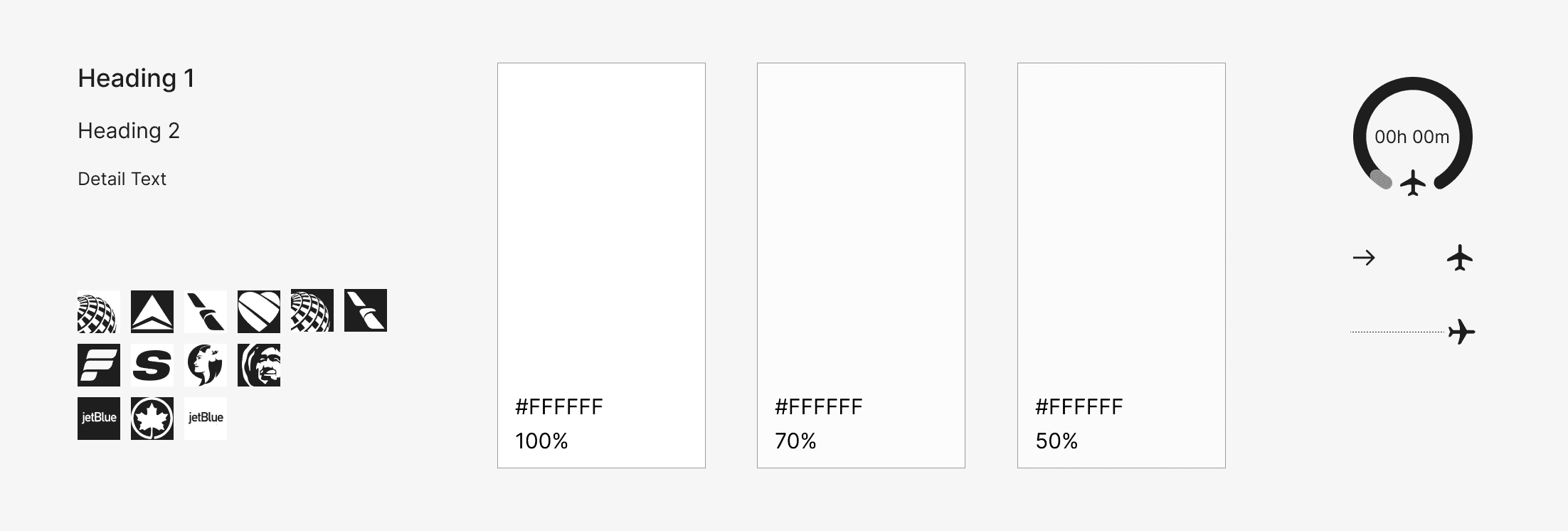
After refining the wireframes and finalizing the information hierarchy, I moved into designing the UI and building a clickable prototype. My goal was to create a clean, minimal interface that prioritized clarity and legibility, ensuring real-time flight data remained easy to read at a glance while fitting naturally within a lock screen environment.
After refining the wireframes and finalizing the information hierarchy, I moved into designing the UI and building a clickable prototype. My goal was to create a clean, minimal interface that prioritized clarity and legibility, ensuring real-time flight data remained easy to read at a glance while fitting naturally within a lock screen environment.
Outcome
Outcome
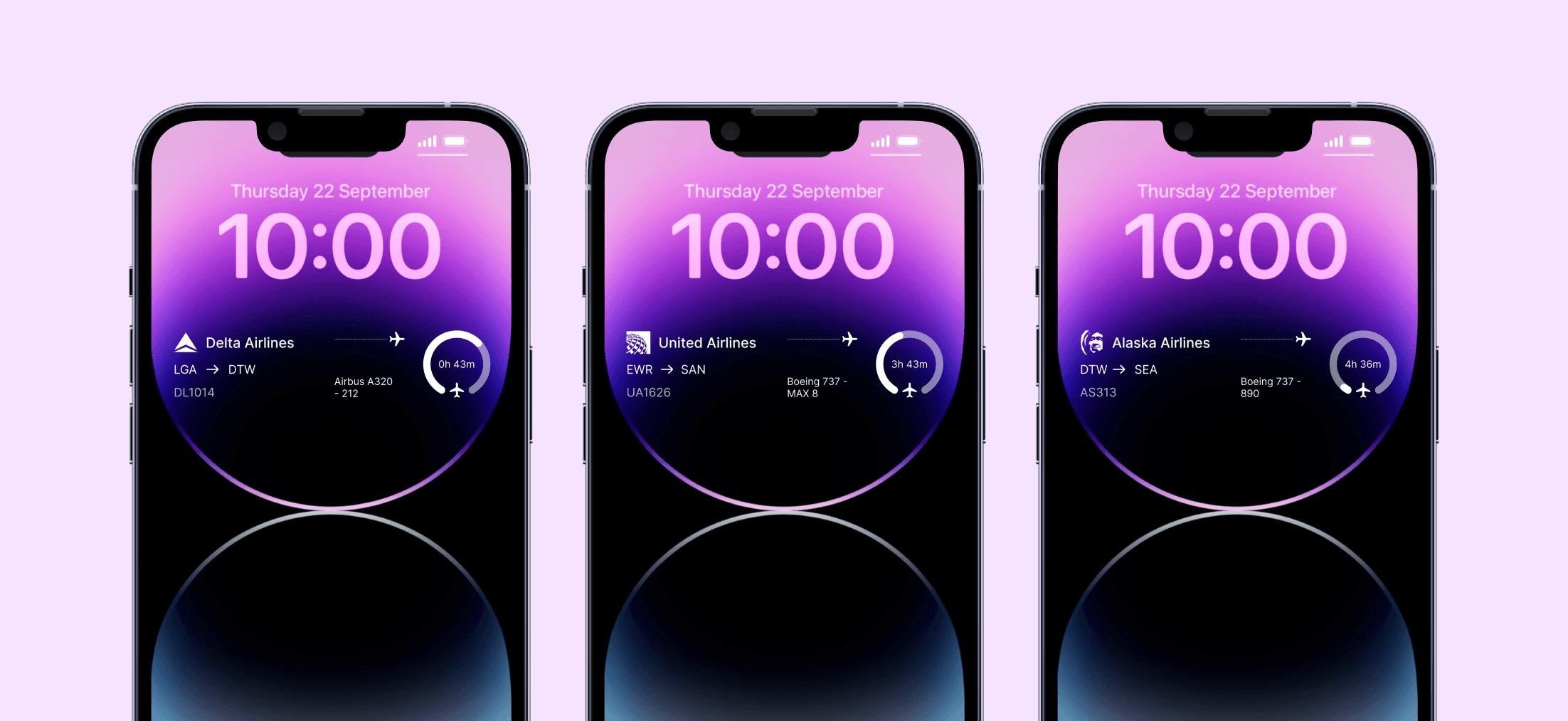
The flight tracking widget transforms complex, real-time aviation data into a simple, glanceable experience that can be accessed instantly from the lock screen. By prioritizing clarity and reducing interaction friction, the design makes it easier for users to understand what aircraft are overhead without needing to open a dedicated app.
The flight tracking widget transforms complex, real-time aviation data into a simple, glanceable experience that can be accessed instantly from the lock screen. By prioritizing clarity and reducing interaction friction, the design makes it easier for users to understand what aircraft are overhead without needing to open a dedicated app.
Experience in Action
Experience in Action
Key Features
Key Features
The final feature set was shaped directly by insights from early research, focusing on getting users the information they need.
The final feature set was shaped directly by insights from early research, focusing on getting users the information they need.
Automatic “closest plane” prioritization
Automatic “closest plane” prioritization
Automatic “closest plane” prioritization
The widget continuously detects nearby aircraft and automatically surfaces the closest one overhead, removing the need for users to search or filter flights manually.
The widget continuously detects nearby aircraft and automatically surfaces the closest one overhead, removing the need for users to search or filter flights manually.
Glanceable, hierarchy-driven information layout
Glanceable, hierarchy-driven information layout
Glanceable, hierarchy-driven information layout
Flight data is distilled into a minimal, structured hierarchy prioritizing airline, altitude, and route—so users can understand key details instantly within the constraints of a lock screen widget.
Flight data is distilled into a minimal, structured hierarchy prioritizing airline, altitude, and route—so users can understand key details instantly within the constraints of a lock screen widget.
Next Steps
Next Steps

The next step is to build a functional prototype using Flightradar24 data to test the widget in a real-world environment. This would allow me to evaluate how well it performs in terms of real-time updates, readability, and overall usability on an actual device. From there, I would continue refining the information hierarchy and performance to ensure the experience stays fast, accurate, and truly glanceable.
Although there was extensive iteration and evolution during the beginning stages of production, we were able to get more feedback at the showcase. With this feedback, there were a few things I would like to go back and work on in my free time. I would like to go back and work on transitions and animations between screens to make the experience flow a bit better. I would also like to explore other ways to get younger household members invloved, whether this be with games or other challenges.
Overall I am very happy with how this product turned out. It was exciting starting out with nothing but a problem and then taking it all the way to a working product showcase.